Stop managing your tools.
Start leading your mission.
Meet Marvin: a test-backed personal AI operator built to bring elite AI work power to anyone. Marvin remembers what matters, helps run storefronts, works across browser and desktop paths, and turns ambitious requests into proof-backed work with approvals where they count.

More than an assistant.
A digital operator.
Unlike typical chatbots, Marvin connects memory, browser power, desktop execution, storefront workflows, and proof receipts into work you can inspect, approve, and trust.
Memory That Matters
Marvin builds working memory around approved preferences, business rules, goals, and past decisions, then applies it where it counts: store setup, creative direction, recurring tasks, and operator judgment.
Real Hands, Real Guardrails
Marvin can navigate browsers, run approved local commands, organize files, and open apps through Desktop Power paths, while preserving approval gates for sends, spend, secrets, billing, and public claims.
Commerce-Native Operator
From apparel setup to product catalogs, analytics, checkout paths, pricing truth, and recoverable sales, Marvin is built around real storefront operations instead of generic chat alone.
Learns Every Night
Hundreds of built-in capabilities keep growing through nightly intelligence gain, self-healing checks, regression guards, and adversarial judges that score weak spots before customers feel them.
Hundreds of journeys, proof-bound.
Marvin's capability map spans commerce, creative, analytics, operations, and automation, with approval gates preserved for sends, spend, secrets, billing, and public launch claims.
See Marvin in motion.
These aren't mockups. Every journey below runs in our Elite-WOW-25 test suite nightly. Real actions. Real results. Verified autonomy.





Not a pitch. A measured operator.
Every number below is a recorded benchmark from our continuous integration gauntlet — the Crucible. Zero marketing inflation. Zero synthetic scores.
Receipts you can read, not claims you have to trust.
Marvin's launch claims are backed by recorded local batteries, live gates, financial truth checks, journey catalogs, and post-deploy browser proof.
Financial Truth Battery 53/53 passed
Validated pricing reconciliation, refund ledger behavior, payout approval and settlement receipt flow, sales-tax export, unauthorized campaign rejection, checkout approval handoff, and money-flow truth checks.
Decoration & Pricing Battery 314/314 passed
Covered screen print, embroidery, DTF, names and numbers, distributor foil, mixed garments, multiple quantity bands, rush, shipping, coupons, tenant markup, and multi-location pricing.
Live Beta Gate 15/15 passed
Ran the live health, static asset, browser smoke, public route, and post-deploy verification checks used before the current Marvin landing and analytics releases.
Enterprise Desktop Power 52 + 9 passed
Verified policy grants, signed decisions, tenant-aware execution, local command boundaries, sensitive action gates, and HIPAA-readiness controls for Enterprise+ Desktop Power paths.
Deep Analytics & Store Health deployed and browser-verified
Added session drilldown, page and product paths, cart snapshots, recoverable sales, save-the-sale drafts, health scoring, sentinel checks, and live storefront browser proof.
Journey Proof Catalog 384 journeys indexed
Maps Marvin's current abilities to live, local-proven, wired, draft-only, approval-gated, blocked-setup, and do-not-claim statuses so public copy follows evidence instead of ambition.
Frontier AI is powerful. Marvin makes it operational.
OpenAI and Claude are frontier model leaders. Marvin's launch edge is the commerce-native operating layer: storefronts, tenant analytics, financial receipts, Desktop Power, approval gates, and public proof artifacts in one system.
Top 24 public capability comparison Open matrix
| Capability | MarvinUOS + iBranDIDit | OpenAI / ChatGPT Agent | Anthropic / Claude | Why it matters |
|---|---|---|---|---|
| Conversational reasoning | Yes | Yes | Yes | Natural planning, explanation, drafting, and decision support. |
| Writing and editing | Yes | Yes | Yes | Every launch assistant needs strong language work. |
| Coding support | Yes | Yes | Yes | Builds, repairs, explains, and verifies software work. |
| File and document analysis | Yes | Yes | Yes | Turns PDFs, spreadsheets, and notes into usable work. |
| Browser research | Yes | Yes | Yes | Research and competitive intelligence are table stakes. |
| Computer/browser action | Yes | Yes | Yes | Moves beyond chat into task execution. |
| Tool and connector use | Yes | Yes | Yes | Connects AI to outside systems and workflows. |
| Mobile access | Yes | Yes | Yes | Users expect the assistant wherever they are. |
| Voice-first interaction | Yes | Yes | Partial | Voice matters for everyday accessibility and speed. |
| Memory and personalization | Yes | Yes | Partial | Useful assistants need context that survives a single prompt. |
| Image and creative help | Yes | Yes | External tool | Launches need visual assets, copy, and brand direction. |
| Task planning | Yes | Yes | Yes | Multi-step work needs plans, state, and follow-through. |
| Human approval gates | Yes | Yes | Yes | High-impact actions need owner control. |
| Enterprise security posture | Yes | Yes | Yes | Serious buyers need controls, privacy, and compliance paths. |
| System cards and public docs | Yes | Yes | Yes | Public trust needs documented boundaries. |
| Workflow automation | Yes | Yes | Yes | Users want work finished, not only advice. |
| Native commerce operating system | Yes | Requires integration | Requires integration | Marvin owns storefront, campaign, catalog, checkout, analytics, and admin paths. |
| Decorated-apparel financial truth | Yes | Not native | Not native | Pricing, decoration, refunds, payouts, tax, coupons, markup, and settlement checks are product-specific. |
| Tenant analytics and save-the-sale flows | Yes | Requires integration | Requires integration | Session, page, product, cart, recoverable-sale, and store-health paths are inside the platform. |
| Revenue-share and referral streams | Yes | Not native | Not native | Marvin/iBranDIDit are built to share knowledge, storefront growth, and revenue paths with users. |
| Native phone-as-Marvin UI | Yes | Mobile app | Mobile app | Marvin's PWA and pairing path let a smart phone become the UI for paired desktop work without third-party connector glue. |
| Desktop Power with tenant policy | Yes | Agent environment | Sandbox/tool use | Marvin emphasizes owner-controlled local pairing, signed decisions, and tenant-aware policy gates. |
| Product-specific proof receipts | Yes | General docs | General docs | Marvin publishes platform-specific local batteries, live gates, screenshots, and journey status proof. |
| First WOW launch pack | Yes | Custom setup | Custom setup | New users get guided install, phone pairing, and first-task launch buttons for real Marvin workflows. |
Comparison is intentionally conservative: Marvin does not claim to outrank frontier labs on raw model research. Marvin competes by turning AI power into owned commerce workflows, financial truth, tenant evidence, and approval-gated execution.
Your entire digital team — in one interface.
Personal Operator
Your daily companion for memory, reminders, calendar management, and life-admin. Always learning, always ready.
Business Architect
A commerce-ready partner that builds stores, manages suppliers, processes orders, and scales your operations.
Creative Lab
An AI media suite for image generation, media bundles, content creation, and brand asset production at scale.
Desktop Co-pilot
Deep integration with your local machine for file mastery, app launching, shell commands, and workflow automation.
Deployment Specialist
The bridge from idea to live domain in seconds. Site generation, SSL wiring, DNS configuration — all autonomous.
Marvin works wherever you do.
See how founders, teachers, creators, families, and enterprise teams use Marvin to transform their daily workflow.

Your E-Commerce Command Center
Manage inventory, design products, track orders, and optimize pricing — all from one AI operator dashboard in your warehouse.
Commerce · POD · Merch
Transform How Students Learn
Research lesson plans, generate study materials, and give every student a personal AI tutor that adapts to their learning style.
Education · Research · AI Tutor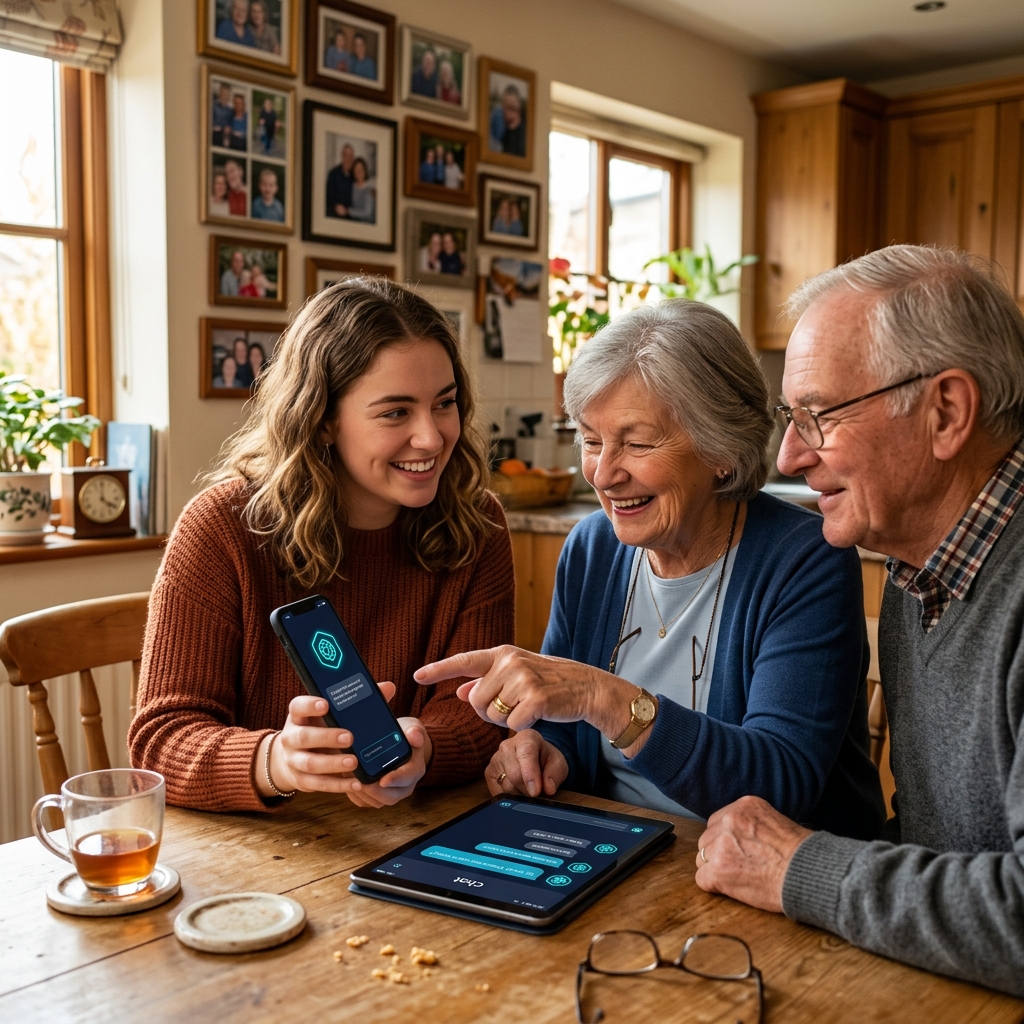
Bridge the Digital Divide
Set up Marvin for the people you love. One app that manages reminders, connects services, and answers questions in plain language.
Family · Accessibility · Care
Scale Your Creator Workflow
Script research, thumbnail generation, social scheduling, and audience analytics — powered by one AI operator on your desktop.
Creator · YouTube · Media
Coordinate Global Teams
20+ AI threads running in parallel. Shared intelligence across team members. Priority routing for mission-critical operations.
Enterprise · Teams · GlobalChoose your level of agency.
Every plan includes AI chat, persistent memory, and task automation. Higher tiers unlock more agency, faster execution, and deeper capability access.
- 1 AI thread · 1 widget
- 25 MB NVMe
- AI chat, voice & vision
- Auto-deploy sites
- Persistent memory
- 2 threads · 6 widgets
- 512 MB + 5 GB cloud
- Custom Marvin styling
- AI product designer
- Referral earnings
- 4 threads · 12 widgets
- 1 GB + 10 GB cloud
- White-label & resell
- Blacksmith code gen
- Cash payouts
- 8 threads · ∞ widgets
- 3 GB + 20 GB cloud
- Rename Marvin
- Multi-tenant mgmt
- Excellent efficiency
- 6 threads · 24 widgets
- 5 GB + 30 GB cloud
- Share with family
- Parental controls
- Superior efficiency
- 20 threads · ∞ widgets
- 20 GB + 120 GB cloud
- Multi-sig approvals
- Team role-based access
- Elite efficiency
- ∞ threads · ∞ widgets
- 60 GB + 360 GB cloud
- Priority support SLA
- Custom AI configuration
- Ultimate efficiency
View full feature comparison →
| Feature | Starter | BranDID | Pro | Pro+ | Family | Business | Enterprise |
|---|---|---|---|---|---|---|---|
| PRICING & RESOURCES | |||||||
| Monthly Coins | 500K | 4.4M | 10M | 28.5M | 50M | 160M | 500M |
| Efficiency | Good | Better | Great | Excellent | Superior | Elite | Ultimate |
| Coin Top-Up | ✓ | ✓ | ✓ | ✓ | ✓ | ✓ | ✓ |
| AI CAPABILITIES | |||||||
| AI Chat, Voice & Vision | ✓ | ✓ | ✓ | ✓ | ✓ | ✓ | ✓ |
| Persistent Memory | ✓ | ✓ | ✓ | ✓ | ✓ | ✓ | ✓ |
| 25-Domain Automation | ✓ | ✓ | ✓ | ✓ | ✓ | ✓ | ✓ |
| Self-Healing Task Repair | ✓ | ✓ | ✓ | ✓ | ✓ | ✓ | ✓ |
| AI Model Access | Core | Core | All | All | All | All | All + Config |
| AI Threads | 1 | 2 | 4 | 8 | 6 | 20 | ∞ |
| DEPLOYMENT & SITES | |||||||
| Auto-Deploy Websites | ✓ | ✓ | ✓ | ✓ | ✓ | ✓ | ✓ |
| Widget Deployments | 1 | 6 | 12 | ∞ | 24 | ∞ | ∞ |
| WYSIWYG Site Editor | ✓ | ✓ | ✓ | ✓ | ✓ | ✓ | ✓ |
| BRANDING & CUSTOMIZATION | |||||||
| Custom Styling | — | ✓ | ✓ | ✓ | ✓ | ✓ | ✓ |
| Rename Marvin | — | — | ✓ | ✓ | ✓ | ✓ | ✓ |
| White-Label Reselling | — | — | ✓ | ✓ | ✓ | ✓ | ✓ |
| Markup Pricing | — | — | ✓ | ✓ | ✓ | ✓ | ✓ |
| ECONOMY & MONETIZATION | |||||||
| Referral Earnings | — | ✓ | ✓ | ✓ | ✓ | ✓ | ✓ |
| Cash Payouts | — | — | ✓ | ✓ | ✓ | ✓ | ✓ |
| Payout Speed | — | — | Weekly | Weekly | Daily | Daily | Instant |
| STORAGE | |||||||
| NVMe Storage | 25 MB | 512 MB | 1 GB | 3 GB | 5 GB | 20 GB | 60 GB |
| Cloud Storage | — | 5 GB | 10 GB | 20 GB | 30 GB | 120 GB | 360 GB |
| Storage Add-Ons | — | ✓ | ✓ | ✓ | ✓ | ✓ | ✓ |
| SECURITY & COMPLIANCE | |||||||
| SHA-256 Audit Trail | ✓ | ✓ | ✓ | ✓ | ✓ | ✓ | ✓ |
| Multi-Sig Approvals | — | — | — | — | — | ✓ | ✓ |
| Priority Support SLA | — | — | — | — | — | — | ✓ |
Your storefront. Your brand. Live in minutes.
From custom POD merch to full campaign storefronts, Marvin handles catalog, pricing, fulfillment, and checkout — so you focus on your mission.
800,000+ Products. One Operator.
Marvin connects to a real catalog with 800K+ products across apparel, accessories, drinkware, and promotional goods. Design your merch, set your markup, launch your store, and let Marvin handle fulfillment coordination — all from a single conversation.
Catalog, templates, products, checkout paths, campaign context, and storefront preview — one launch surface.
AI-generated product mockups, embroidery-ready artwork, print-on-demand decoration, and brand asset packs.
Orders, shipping, payout boundaries, ledger records, and customer notifications — connected end-to-end.
One system for building, selling, operating, and learning.
MarvinUOS combines the operator, storefront, admin, catalog, fulfillment, billing, memory, connectors, and control-plane layers into one platform.

Marvin is the intelligence. MarvinUOS is the operating foundation.
Storefronts, billing, fulfillment, approvals, memory, connectors, and enterprise controls — moving together under one governed operator.
Catalog, templates, checkout paths, campaign context, merchandising, and preview — one launch surface.
Orders, fulfillment, pricing rules, payout boundaries, audit logs, and customer surfaces — connected.
Superadmin controls, tenant roles, feature flags, approvals, resource limits, and enterprise policy gates.










The platform already has worlds inside it.
Storefront templates, campaign kits, and merchandising systems for every industry — ready to customize and launch.
 Brand Drops
 Team Stores
 Community
 Industrial
 CreatorsOperators
 Uniforms
 Catalog
 SustainableSchoolsFitnessEveryone
From idea to live domain — in one conversation.
Tell Marvin what you want. He designs it, builds it, grades it, and deploys it with SSL. No coding required.
Merch & POD Storefront
Launch a branded merch shop with custom products, embroidery-ready designs, and checkout — deployed to your domain with SSL.
"Marvin, build me a streetwear drop store with premium hoodies and deploy it to my domain."Blog in Seconds
Food truck menus, recipe collections, fitness journals, travel diaries — Marvin builds beautiful, SEO-ready blogs from a single prompt.
"Build a food truck blog with our menu, weekly specials section, and Instagram feed. Deploy it live."SaaS & Business Landing
Professional landing pages with hero sections, pricing grids, testimonials, and CTA — graded by AI for conversion before deployment.
"Create a SaaS landing page for my fitness app with pricing, features, and testimonials. Deploy with SSL."Every teacher deserves a digital co-teacher.
Marvin helps educators create lesson plans, generate study materials, run interactive tutoring sessions, and manage classroom workflows — all from natural conversation.
AI-Powered Classroom Assistant
From elementary to university, Marvin adapts to your subject, grade level, and teaching style. Generate quizzes, explain complex topics, create visual aids, and tutor students one-on-one.
A spine built for tasteful referrals.
Track outreach, signup codes, attribution, referral credits, and store performance with transparent account-level visibility.
Outreach Command Center
Track campaigns, contacts, referrals, and follow-up. Built-in contact management keeps conversion steps and performance signals visible.
Referral Credit Engine
Signup codes, referral attribution, account credits, and payout-ready ledgers. Sharing stays transparent and tied to real paid platform activity.
Momentum Monitor
Real-time visibility into outreach health. Activity tracking, account alerts, and progress boards help owners keep momentum visible.
Need more than a plan? Build a partnership.
Enterprise+ is a custom-built engagement for organizations that need Desktop Power, governance controls, and dedicated operator infrastructure.
Power without chaos.
Every action is receipted. Every vault is encrypted. Every high-impact operation requires human approval.
AES-256-GCM Vaults
All memory, files, and credentials encrypted at rest with authenticated encryption. Your data stays sovereign.
HMAC-SHA256 Receipts
Every operation produces a signed, tamper-evident receipt. Full audit trail for every action Marvin takes.
Human-in-the-Loop
Financial operations, desktop commands, and high-impact actions require explicit human consent before execution.
PCI DSS v4-Aligned
Payment-page controls and card handling follow PCI DSS v4 alignment patterns for commerce-ready operations.
Self-Healing Task Repair
Bounded repair loops with failure memory. Blacksmith tasks self-heal with error feedback and recorded receipts.
Tenant-Aware Isolation
Every user operates in a fully isolated tenant. No cross-contamination of memory, files, or execution state.
"Marvin replaced three separate tools for us. The commerce operator alone saved us 20 hours a week on inventory management."

E-Commerce Operator
"The Blacksmith feature is incredible. I asked Marvin to build a PDF converter and it wrote, tested, and ran the script in under a minute."

Operations Lead
"Having an AI that actually remembers my preferences and can control my desktop — that's not a chatbot, that's a digital partner."

Freelance Developer
"I told Marvin to scan my competitor's site, extract their pricing, and build me a comparison report. It navigated, scraped, and delivered — zero manual work."
Browser Power"Deployed a full SaaS landing page with hero images, pricing grid, and SSL — from a single prompt. Marvin built it, graded it, and shipped it."
Site Deploy"I use Marvin to organize lesson plans, generate study materials, and create personalized quizzes. My students think I have a whole staff."
Education"Marvin replaced three separate tools for us. The commerce operator alone saved us 20 hours a week on inventory management."
E-Commerce Operator
"The Blacksmith feature is incredible. I asked Marvin to build a PDF converter and it wrote, tested, and ran the script in under a minute."
Operations Lead
"Having an AI that actually remembers my preferences and can control my desktop — that's not a chatbot, that's a digital partner."
Freelance Developer
"I told Marvin to scan my competitor's site, extract their pricing, and build me a comparison report. It navigated, scraped, and delivered — zero manual work."
Browser Power"Deployed a full SaaS landing page with hero images, pricing grid, and SSL — from a single prompt. Marvin built it, graded it, and shipped it."
Site Deploy"I use Marvin to organize lesson plans, generate study materials, and create personalized quizzes. My students think I have a whole staff."
Education"Marvin ran my system diagnostics, checked every repo, and sent me the results on Telegram before I finished my coffee. Desktop mastery is real."
Shell + Telegram"I asked Marvin to generate a 10-image media pack for my merch launch. The images were editorial-quality and ready for print in under 5 minutes."
Image Gen"The file management is underrated. Marvin organized 6 months of project files, renamed everything consistently, and moved them to cloud — all from chat."
File Ops"Set up Marvin for my parents. They use it for reminders, answering questions, and connecting services. It's the only tech they don't need help with."
Family"Calendar management, reminders, Telegram briefings at 7am — Marvin is the executive assistant I couldn't afford to hire."
Connectors"Built an incident response war room page from a single prompt. Severity ladder, timeline, owners, postmortem checklist — all production-ready code."
Blacksmith"Marvin ran my system diagnostics, checked every repo, and sent me the results on Telegram before I finished my coffee. Desktop mastery is real."
Shell + Telegram"I asked Marvin to generate a 10-image media pack for my merch launch. The images were editorial-quality and ready for print in under 5 minutes."
Image Gen"The file management is underrated. Marvin organized 6 months of project files, renamed everything consistently, and moved them to cloud — all from chat."
File Ops"Set up Marvin for my parents. They use it for reminders, answering questions, and connecting services. It's the only tech they don't need help with."
Family"Calendar management, reminders, Telegram briefings at 7am — Marvin is the executive assistant I couldn't afford to hire."
Connectors"Built an incident response war room page from a single prompt. Severity ladder, timeline, owners, postmortem checklist — all production-ready code."
BlacksmithReady to meet your
digital operator?
Deploy Marvin in under 60 seconds. No credit card required.